A smart bulb without hub can make an ordinary lamp more useful without adding another box to your router shelf. For a renovation, rental, or quick lighting refresh, this approach gives you app control, scheduling, dimming, and sometimes color adjustment through Wi-Fi or Bluetooth. The important question is not simply whether the bulb is smart. It is whether the bulb supports the room's visual needs, your home network, and the way you actually use the space.
I approach these products as lighting equipment first and connected devices second. A bulb that responds instantly but produces harsh, blue-white light is still a poor choice over a dining table. Start with the quality of the light, then choose the control system that makes living with it easier.
What a smart bulb without hub actually does
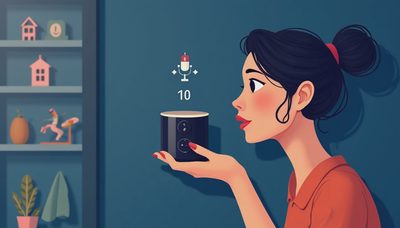
A hub is a small bridge that lets certain bulbs communicate with your home network. A smart bulb without hub connects directly through Wi-Fi or communicates with your phone over Bluetooth. Wi-Fi models are generally better for remote control, voice assistants, routines, and rooms where you want access from anywhere. Bluetooth models can be simple and responsive nearby, but their range and remote features are more limited.
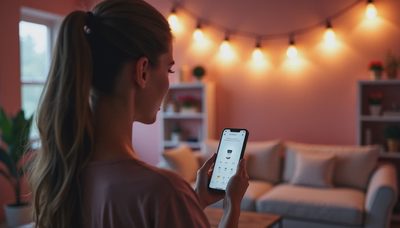
Most direct-connect bulbs use a companion app. The app may let you turn the lamp on at sunset, reduce brightness before bedtime, or group several bulbs together. Compatibility varies among Amazon Alexa, Google Home, Apple Home, and manufacturer platforms, so confirm the ecosystem before buying several bulbs for a house.
The tradeoff is network traffic. A single smart bulb without hub is unlikely to challenge a modern router, but ten or fifteen Wi-Fi bulbs create more connected devices and more opportunities for setup problems. If your home already has unreliable Wi-Fi in the back bedroom, adding a bulb there will not solve the coverage issue.

Choose light quality before clever features
The most important specifications are color temperature, brightness, and color rendering. Color temperature describes the appearance of white light. A 2700K bulb looks warm and relaxed, similar to a traditional incandescent lamp. A 3000K bulb feels cleaner while remaining comfortable in most living rooms. Higher settings around 4000K can suit a utility room or garage, but they often feel too stark in a bedroom.
Brightness is measured in lumens, not watts. A typical 800-lumen bulb is a useful replacement for a familiar 60-watt incandescent lamp, while a 450-lumen bulb can work well in a bedside fixture. Use several moderate bulbs rather than one extremely bright source when you want a room to feel layered instead of glaring.
Color rendering index, or CRI, describes how naturally colors appear under the light. Look for a CRI of 80 or higher for general use and 90 or higher where food, artwork, wood, or clothing needs to look convincing. A smart bulb without hub with excellent scenes but weak color rendering can make a carefully finished kitchen look flat.
Where direct-connect bulbs make sense
Table lamps and floor lamps are the easiest applications. You can install the bulb, leave the physical switch on, and control the fixture from an app or voice command. This is useful beside a sofa, where reaching behind furniture for a switch is inconvenient. It also works well in a guest room because a schedule can make the space feel occupied while you are away.
Pendant fixtures require more thought. If the pendant has several sockets, replacing only one lamp with a smart bulb can produce uneven color and brightness. Use matching bulbs in the same fixture, or keep the smart lamp in a single-socket pendant where its behavior is easier to read. Enclosed fixtures also deserve attention because some products are not rated for enclosed housings and can overheat.
A smart bulb without hub is usually a poor fit for a wall switch that family members regularly turn off. Once the switch cuts power, the bulb cannot hear an app command. In that situation, a smart switch or a scene controller may be the better design solution. Smart bulbs belong where continuous power is practical.
Setup details that prevent frustration
Before installation, record your Wi-Fi name and password and check whether the bulb requires a 2.4 GHz network. Many inexpensive Wi-Fi bulbs use 2.4 GHz during setup because it travels farther through walls. Some routers combine network bands under one name, while others let you select the band manually. Follow the manufacturer's pairing instructions instead of repeatedly guessing in the app.
Install one bulb first and test it for a full day. Confirm that it reconnects after a power interruption, responds from the intended room, and works with your preferred voice assistant. Then create groups such as Living Room Lamps or Kitchen Pendants. Clear group names matter when you are speaking a command from another room.
For a Bluetooth smart bulb without hub, test the distance from your usual control point. A phone may operate it well from the sofa but fail from upstairs. Some Bluetooth products use a compatible smart speaker as a bridge, but that feature is product-specific rather than automatic.

Build a better room with scenes and layers
Connected control is most useful when it supports a lighting plan. In a living room, pair a warm smart bulb without hub in a floor lamp with ceiling lighting on a separate circuit. Set the floor lamp to roughly 30 to 50 percent brightness for television or conversation, then raise it for reading. The ceiling fixture can provide general illumination while the lamp adds a lower, softer layer near eye level.
In a bedroom, a 2700K setting and a gentle fade-down routine can make the transition to sleep less abrupt. Avoid placing a bright bare bulb in the direct line of sight from the pillow. A shaded lamp, wall fixture, or frosted globe spreads the source and reduces glare.
For a kitchen, use smart bulbs for decorative pendants or accent fixtures, but do not depend on them to replace dedicated task lighting. Countertops still need light from an appropriate under-cabinet fixture positioned to reduce shadows from your body. Technology can change brightness; it cannot correct a fixture placed behind the person preparing dinner.
Buying checklist for a smart bulb without hub
Check the bulb base first: E26 is common in US lamps, while candelabra fixtures often use E12. Confirm the fixture's maximum wattage, physical clearance, and whether the bulb is approved for enclosed use. Next, decide whether you need white adjustment, full color, or only dimming. Full-color models cost more and are not automatically better for everyday illumination.
Look for published lumen output, CRI, color-temperature range, app support, and voice-assistant compatibility. Products from Philips Hue, Sengled, TP-Link Tapo, GE Cync, and Wiz offer different combinations of features and ecosystems; the right choice depends on the fixture and control habits, not the logo alone. Read recent compatibility notes before building a large group.
Finally, compare the bulb's warranty and replacement cost. A $10 bulb can be sensible in a rarely used closet, while a $25 bulb with better color quality may be worthwhile in a dining room where you see its light every evening. Buy one, test the result at night, and expand only after the room feels comfortable.
A smart bulb without hub is most successful when it solves a specific problem: reaching a difficult switch, creating a reliable evening scene, or adjusting one lamp for several activities. Choose the light output first, keep power available, and use connected features to reinforce good layering. That sequence produces a room that feels intentional rather than merely automated.