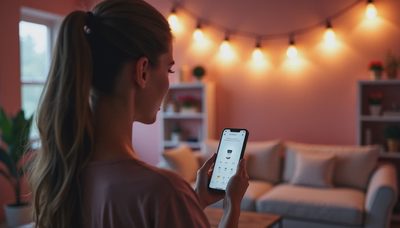
The choice between zigbee vs wifi smart bulbs is less about picking the newest technology and more about designing a dependable lighting system. A single lamp in a reading corner has different needs from 30 recessed bulbs spread across a two-story house. I approach this decision the same way I approach any lighting plan: start with the room, understand the control problem, then choose the hardware that solves it.
Smart bulbs can change color temperature, dim from a phone, respond to motion sensors, and join scenes that make a home feel calmer after sunset. But the wireless connection behind those features affects setup, responsiveness, and reliability. Here is how the two systems differ, and where each one makes practical sense.
What the wireless connection actually does
Wi-Fi smart bulbs connect directly to your home network, usually through the 2.4 GHz band. That means you can often screw in the bulb, open an app such as Philips Hue, Kasa, Wiz, or Smart Life, and connect it without buying a separate hub. The convenience is real, especially if you are upgrading one or two table lamps.
Zigbee uses a low-power mesh network. Most Zigbee bulbs need a hub or bridge, such as a Philips Hue Bridge, Samsung SmartThings Hub, or compatible Amazon Echo device. The hub connects to your router, while the bulbs communicate with the hub and with one another. Each powered device can help pass signals farther through the house.
That difference explains much of the practical debate. Wi-Fi is familiar and direct. Zigbee adds another piece of equipment but creates a lighting network that is usually more structured. Neither connection changes the bulb's color rendering or beam angle; those are specifications you still need to evaluate separately.
Range, congestion, and responsiveness
In a small apartment or a three-room home, Wi-Fi bulbs can work very well. You may notice commands arriving quickly, and there is no bridge to place near the router. A homeowner with six bulbs and a modest number of connected devices may never encounter a meaningful limitation.
The calculation changes in a larger home. Every Wi-Fi bulb communicates with the router, adding another client to the wireless network. A household with smart televisions, cameras, phones, speakers, thermostats, and 20 bulbs can create a crowded environment. The result is not guaranteed failure, but occasional delays, dropped connections, or bulbs that appear offline after a router restart.
Zigbee is often stronger for whole-home lighting because the mesh spreads communication between devices. A bulb in a rear bedroom does not need a perfect direct path to the router if another powered Zigbee device can relay the signal. Metal electrical boxes, concrete walls, and long distances still matter, but the network can be expanded deliberately.
A Zigbee system also tends to feel more consistent when several lights change together. That matters when a kitchen scene turns on under-cabinet strips, pendants, and ceiling fixtures at the same time. For a single accent lamp, the difference is much less important.

zigbee vs wifi smart bulbs for color and light quality
Wireless protocol is only one part of a smart bulb decision. I have seen homeowners spend hours comparing apps while overlooking the qualities that determine whether the room looks good. Check color temperature range, brightness, beam spread, and color rendering index, commonly shown as CRI.
A tunable-white bulb might shift from a warm 2,700 Kelvin glow to a cooler 6,500 Kelvin setting. Warm light works well in bedrooms and living rooms at night, while a neutral setting around 3,500 to 4,000 Kelvin can support kitchen tasks. Higher CRI, ideally 90 or above for important interior spaces, helps wood, food, artwork, and skin tones appear more natural.
The phrase zigbee vs wifi smart bulbs does not tell you whether a product produces pleasant light. Two bulbs using different protocols can have nearly identical wireless features but very different diffusion. Look for a frosted globe or diffuser if you want smooth light, and avoid placing a bare, bright bulb where it sits in your direct field of view.
Dimming quality deserves attention too. A bulb that jumps from off to 30 percent can make an evening scene feel crude. If possible, read reviews specifically for low-level dimming and flicker rather than relying on maximum-lumen claims.
Installation, hubs, and everyday control
Wi-Fi usually wins the first-day setup. You install the bulb, connect it to an app, and link it with Alexa, Google Home, or Apple Home when supported. This is a good fit for renters, small projects, or a homeowner testing smart lighting before committing to a larger system.
The downside is dependence on the manufacturer's cloud service in some product families. If the company's servers, app, or account system has a problem, remote control can be affected. Some Wi-Fi products offer local control, but that feature varies, so read the specifications before buying a matching set.
Zigbee requires more planning. You need to choose a compatible hub, confirm that the bulb works with your preferred platform, and decide where the hub should live. After that work, local commands can be quick and scenes can remain organized under one lighting system. A Philips Hue setup, for example, is straightforward when you stay within its ecosystem; mixed-brand systems require more careful compatibility checking.
Do not install either type of smart bulb behind a wall switch that guests regularly turn off. When power is cut, the bulb cannot receive commands. In busy rooms, a smart switch, scene controller, or permanently powered fixture may produce a better result than relying on phone control alone.
Which system suits different homes?
For a studio apartment, Wi-Fi may be the sensible answer. Three or four bulbs, one router, and a simple evening schedule do not justify much additional hardware. Choose a product with good diffusion and a reliable app, then keep the system consistent.
For a renovation with 15 to 40 bulbs, Zigbee deserves serious consideration. The hub creates a central control point, and the mesh can handle a broader layout more gracefully. This is especially useful when fixtures are divided between bedrooms, a garage, a hallway, and a backyard-adjacent living space.
The phrase zigbee vs wifi smart bulbs also comes up when people want to mix brands. Zigbee can offer flexibility across compatible platforms, but compatibility is not automatic. Check whether the exact bulb supports the hub, desired dimming behavior, color control, and voice assistant you plan to use.
If your internet service is unreliable, a system with strong local control can be reassuring. Smart lighting should still provide basic operation when the cloud is unavailable. A physical switch or button remains valuable because visitors should not need an app tutorial to turn on a light.
A practical buying process
Start by drawing a simple floor plan and marking every lamp or fixture you want to control. Count bulbs, note wall thicknesses, and identify areas where a signal must travel through multiple rooms. This quickly reveals whether you are solving a one-lamp problem or designing a network.
Next, decide whether you need color-changing bulbs or only tunable white. Full-color bulbs often cost $25 to $60 each, while basic dimmable white smart bulbs can cost closer to $10 to $25. If you mainly want comfortable evening light, tunable white usually delivers more useful value than millions of color options.
Then check the physical details: base type, maximum wattage, fixture ventilation, bulb shape, and whether the light is visible from below. For recessed cans, confirm the bulb fits the trim and does not overheat. For enclosed fixtures, use only products rated for that application.
Finally, buy one or two samples before purchasing every bulb. Test the app, voice commands, low dimming, restart behavior, and signal strength in the farthest room. This small experiment can prevent a costly box of mismatched products.
The lighting decision I would make
For a few lamps and a straightforward apartment setup, Wi-Fi is convenient and economical. For a larger renovation, many synchronized fixtures, or a home where reliability matters more than avoiding a hub, Zigbee is usually the better foundation. The best answer in the zigbee vs wifi smart bulbs comparison is the one that supports the room's lighting layers without making daily control complicated.
Think beyond connectivity. Use ambient light for general visibility, task light over counters and desks, and accent light for depth. A reliable network cannot rescue a room with one harsh ceiling bulb, but a well-layered room becomes much more useful when its controls respond consistently. Choose the protocol after you understand that lighting plan, and the technology will serve the design instead of dictating it.