Smart plugs are often sold as convenience gadgets, but their more interesting role is in lighting design. They let you control a lamp without reaching behind furniture, and they can bring several small light sources into one evening routine. Used thoughtfully, smart plugs can improve how a room feels. Used randomly, they simply create more technology around the same harsh, badly placed light.
After designing lighting for homes, hotels, and offices, I have found that the best results start with the room’s layers. Ambient light gives general visibility, task light helps you work, and accent light adds depth. Smart plugs are useful because they can coordinate those layers, especially when you are working with existing floor lamps, table lamps, or decorative fixtures that were never wired to a wall switch.
What smart plugs actually change
A smart plug does not make a lamp brighter, warmer, or better directed. It controls the electrical power reaching the lamp. That distinction matters. A plug can turn a lamp on at 6:30 p.m., but it cannot correct a bare bulb glaring into your eyes or make a fixture illuminate a dark corner evenly.
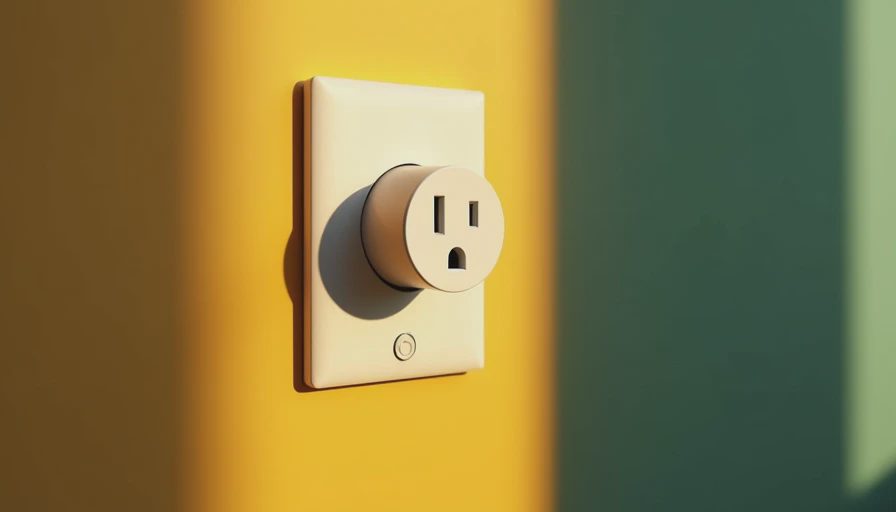
Think of smart plugs as control hardware, not lighting hardware. A $15 to $30 plug from a line such as Kasa or a compatible Amazon, Google, Apple Home, or Matter ecosystem can give an ordinary lamp scheduling and voice-control functions. The lamp still determines the beam spread, color quality, shade brightness, and visual comfort. Those physical qualities do most of the work.
For example, I might place a floor lamp near a living room corner, a shaded table lamp beside the sofa, and a small picture light near artwork. If all three are plugged into separate outlets, the room may require three trips across the room each evening. Smart plugs can turn them on together, but the design succeeds only because the lights are serving different purposes and positions.
Use smart plugs to strengthen the lighting layers
Begin by walking through the room after sunset. Turn on every fixture, one at a time, and notice what changes. Does the floor lamp lift darkness from a corner? Does the table lamp make reading easier? Does the accent fixture draw attention to a cabinet, plant, or textured wall? If a lamp has no clear job, automating it will not give it one.
A useful living room arrangement often includes one source that washes a broad area, one source at seated eye level, and one lower or more directional source. The broad source might be a shaded floor lamp. The eye-level source could sit on a console or side table. The directional source might illuminate shelving. Smart plugs become valuable when they let these fixtures operate as a scene rather than as unrelated objects.
Avoid putting every lamp on the same schedule. A small entry lamp might come on before anyone reaches the living room. A reading lamp should respond to how the room is used. An accent lamp can turn off earlier than the general lighting so the space becomes calmer later at night. Different timing creates progression, which usually feels more natural than one dramatic on-and-off event.
Room-by-room examples that make sense
In a living room, smart plugs work well with floor lamps and table lamps that use simple on-off switches. Set the main ambient lamp to come on around sunset, then add the accent lamp 10 or 15 minutes later. That slight delay can make the room feel like it is settling into evening rather than switching into a showroom display.
In a bedroom, use automation sparingly. A shaded bedside lamp can turn on at low output if the bulb itself supports dimming and remembers its setting. A lamp near a dresser can provide enough light for clothing without forcing the ceiling fixture on. However, a smart plug should not be used to dim a lamp unless the plug and lamp are specifically designed for that function. Most plugs only switch power.
In a home office, smart plugs can control a desk lamp or a secondary wall-wash lamp. Keep the task light close to the work surface and use the second fixture to reduce the contrast between a bright desk and a dark room. This is easier on the eyes than increasing the desk lamp until the rest of the room disappears.
For a porch or entry, smart plugs can be helpful with portable decorative lighting, but exterior locations require equipment rated for outdoor use and weather exposure. An indoor plug placed in a damp location is not an acceptable shortcut. Permanent exterior lighting should use suitable wiring and installation methods.

Color temperature still matters
Automation cannot rescue the wrong color temperature. For most relaxing residential spaces, I generally start around 2700K, which produces a warm white similar to traditional incandescent light. A 3000K bulb can work in kitchens, bathrooms, and homes where a slightly cleaner white is preferred. A very cool bulb in a living room often feels stark, particularly when paired with warm wood, beige paint, or natural fabrics.
Look for bulbs with good color rendering, especially near artwork, food, wood finishes, and skin tones. A color rendering index, or CRI, describes how naturally colors appear under the light. A bulb labeled 90 CRI or higher is often a strong choice for residential accent lighting, although the number does not replace seeing the bulb in the actual room.
Smart plugs can schedule the right light at the right time, but they do not coordinate color temperature unless the bulbs themselves are tunable and part of a compatible system. This is why I often recommend solving the bulb and fixture choice first, then adding automation.
Safety, compatibility, and common mistakes
Check the plug’s electrical rating before connecting a fixture. Most table and floor lamps are modest loads, but avoid using a basic plug with equipment that has motors, heating elements, or a load beyond its listed rating. Never use a smart plug to bypass a damaged cord, loose receptacle, or lamp with exposed wiring.
The lamp’s physical switch also needs to remain in the on position for a smart plug to work. If someone turns the lamp switch off, the plug may still have power but cannot illuminate the fixture. This small detail causes much of the frustration people blame on the app.
Wi-Fi models are convenient, while Matter-compatible products can offer broader interoperability when the rest of the home supports Matter. Compatibility still depends on the hub, app, voice assistant, and network. A reliable manual button is worth having, particularly for guests and family members who do not want to issue voice commands.
A practical setup sequence
Start with one lamp, not the entire house. Choose a fixture that already has a useful position and a simple on-off switch. Add the plug, name it clearly, and test manual control from the app. Then create one schedule and observe the lamp for several evenings.
Next, add a second fixture that solves a different lighting problem. If both lamps come on and the room still has a bright ceiling hotspot, move or change the ceiling light rather than adding more automation. If the room feels flat, look for a darker wall, unlit artwork, or missing low-level light. The goal is not maximum control; it is a comfortable visual hierarchy.
Smart plugs are most successful when they disappear into a good lighting plan. They can make existing fixtures easier to use, reduce the temptation to leave every light running, and create gentle transitions from daytime to evening. Start with placement, choose bulbs for color and comfort, then use smart plugs to make the thoughtful arrangement effortless.